How to Track Your Expenses and Stop Overspending
Tracking isn't about recording every rupee for its own sake. It's about closing the gap between what you think you spend and what you actually spend, quickly enough to change it.
In this article
Most overspending isn't one bad decision. It's forty small ones that nobody was counting: a delivery order after a long day, a sale notification at midnight, a ₹60 UPI payment that doesn't register as spending at all.
Tracking fixes this, but only if it gives you feedback early enough to act on. Here's how to set it up so it lasts, and how to use what you record to actually spend less.
- Pick a method you'll keep: automatic capture beats good intentions.
- Use six to eight categories, no more.
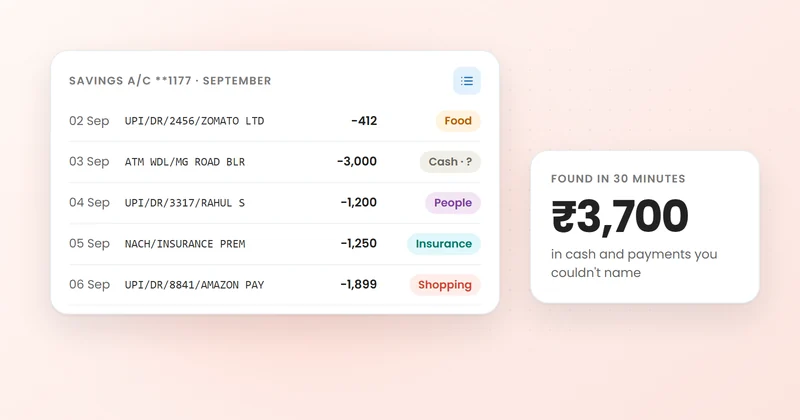
- Capture everything for 30 days, including cash and shared bills.
- Do a 10-minute check every week.
- Turn what you see into one or two limits.
Why you overspend when you don't track
Spending decisions happen in the moment; their consequences show up weeks later on a bank statement. That delay is the problem. By the time you notice food delivery cost ₹6,000 last month, last month is over.
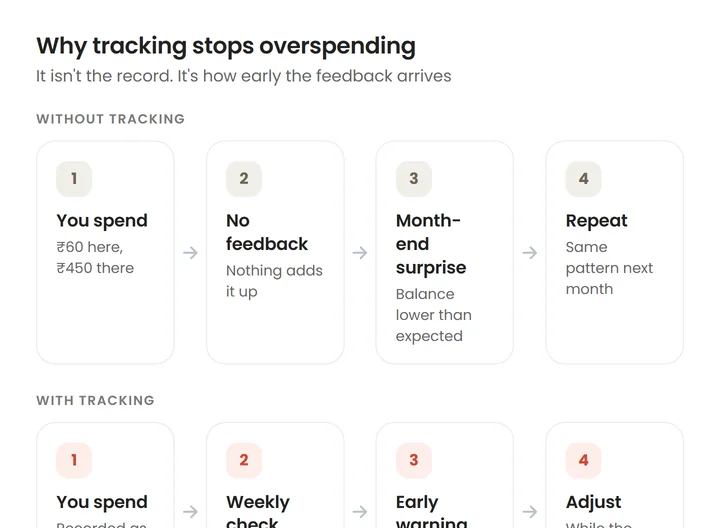
Tracking shortens that delay from a month to a week, or to a day. That's the whole mechanism, and it's why a rough record you check weekly beats a perfect one you look at quarterly.
Step 1: Pick a tracking method you'll actually keep
The best method is the one you'll still be using in three months. Here's how the common options compare:
| Method | Effort | Catches small UPI spends? | Best for |
|---|---|---|---|
| Notebook | High, every purchase | Only if you remember | Mostly-cash spenders who like writing things down |
| Spreadsheet | Medium, weekly from statements | Yes, but days later | People who enjoy analysing and can keep a weekly slot |
| Manual app | Medium, every purchase | Only if you log it | Anyone who wants categories without spreadsheets |
| Automatic app (reads bank SMS or statements) | Low, add cash only | Yes, as it happens | Most people paying by UPI and card |
If most of your spending runs through UPI and cards, automatic capture removes the biggest reason people quit: missed days. Why expense tracking fails covers the other reasons.
Step 2: Choose a few categories
Categories exist to answer questions, not to describe your life in detail. Start with six to eight:
- Housing: rent, maintenance, electricity, internet
- Food: groceries, eating out and delivery (split these two if delivery is a worry)
- Transport: fuel, metro, autos, cabs
- Bills and subscriptions: phone, OTT, insurance, AutoPay mandates
- Shopping: clothes, gadgets, household items
- Health: medicines, doctor visits
- Everything else
Add a category only when you have a question it would answer.
Step 3: Capture everything for 30 days
For one month, the goal is completeness, not judgement. Don't try to spend less yet. Watch for the payments people routinely miss:
- Small UPI payments: chai, parking, snacks. They're the ones that matter most; see why small purchases can destroy your budget.
- Cash: an ATM withdrawal isn't an expense; what you spend the cash on is. Note it the same day.
- Credit card spends: count them when you swipe, not when you pay the bill. Here's why.
- Shared expenses: if you paid ₹3,200 for dinner and three friends owe you ₹2,400, your spending was ₹800.
Step 4: Do a 10-minute weekly check
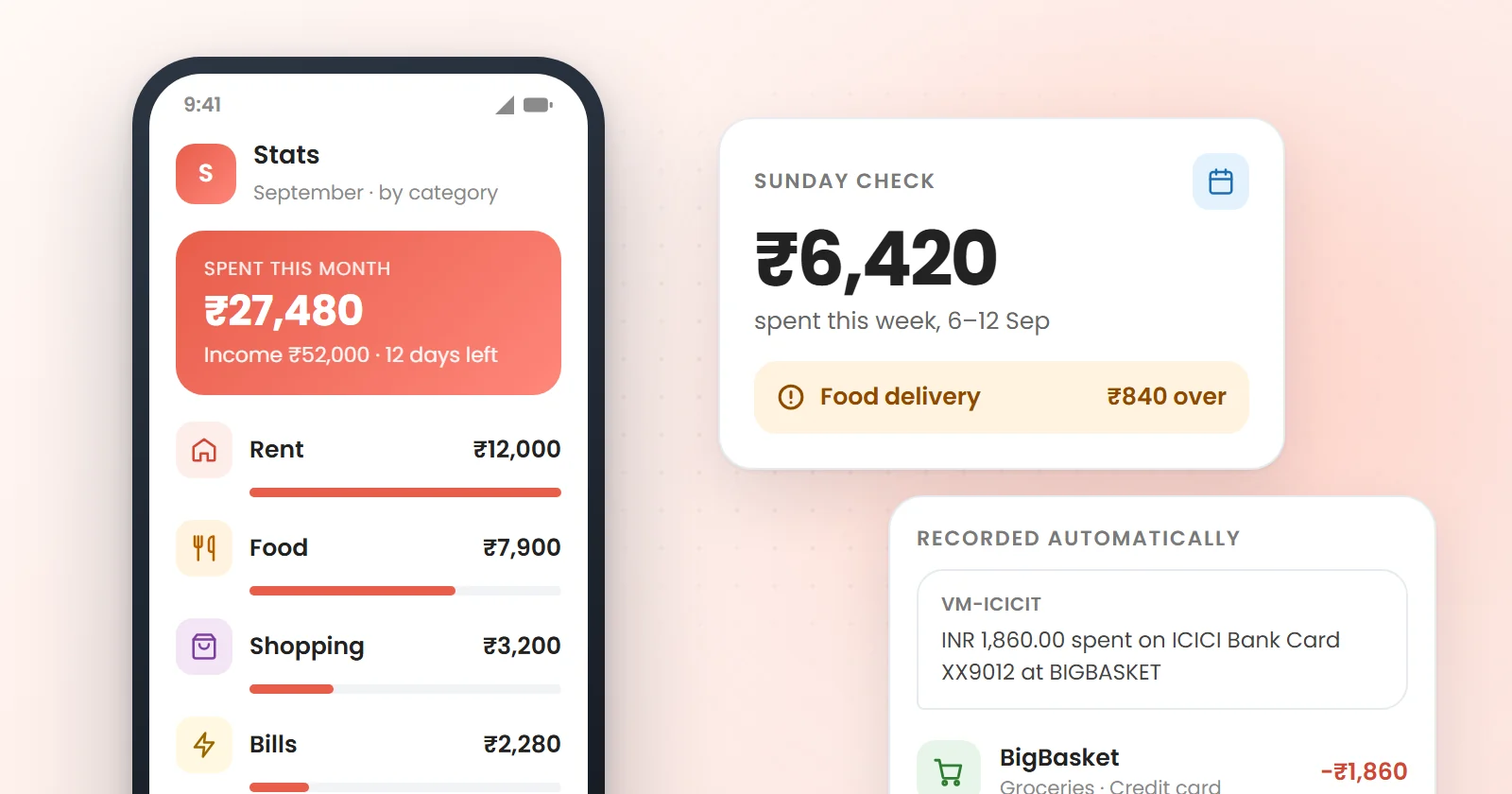
Pick a fixed time, Sunday evening works for many people, and answer three questions:
- How much did I spend this week?
- Which category moved the most?
- Is there anything I'd rather not repeat next week?
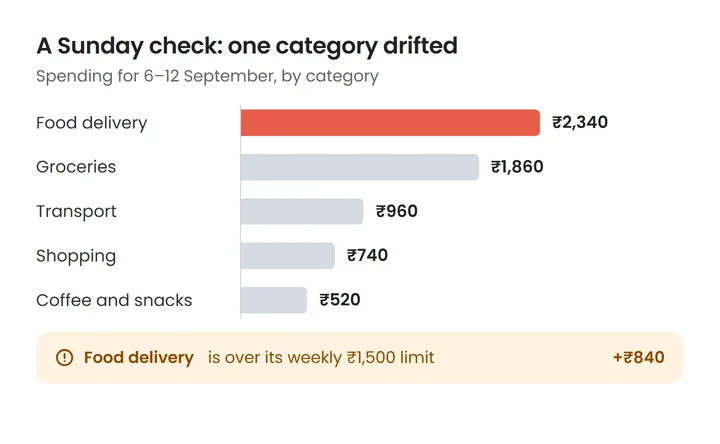
That's it. No guilt, no complicated review. The weekly rhythm is short enough to correct course and long enough to ignore one-off days.
Step 5: Turn what you see into limits
After a month you'll know your patterns. Now set one or two limits where the numbers surprised you, not everywhere. Most overspending has a trigger, and each trigger has a practical fix:
| Trigger | What it looks like | A fix that works |
|---|---|---|
| Tiredness | Delivery after 9 pm, several times a week | Keep two 15-minute meals ready; a weekly delivery budget |
| Sale alerts | Buying because a countdown ends tonight | Turn off shopping notifications; a 48-hour wait above ₹2,000 |
| Saved cards | One-tap checkout with no pause | Remove saved cards from shopping apps |
| Social plans | Weekends that cost ₹3,000 without noticing | Decide your share before you go; split fairly |
| Payday feeling | Spending freely in the first week | Move savings out on salary day, before the feeling starts |
To make limits concrete, give your month a single spending number with a monthly budget, or use the 50/30/20 rule as a quick start.
Common tracking mistakes
- Tracking perfectly for a week, then stopping. A rough record for a year beats a perfect one for a week.
- Counting ATM withdrawals as spending and then counting the cash purchases again.
- Counting the credit card bill as an expense on top of the card spends.
- Judging every entry. Tracking is information. Decisions come at the weekly check.
- Never looking at the data. Recording without reviewing changes nothing.
The bottom line
To track expenses and stop overspending, make capture effortless, keep categories few, and look at the numbers every week. Most people don't need more willpower; they need feedback while the month is still open. Once you know your numbers, the next step is finding out where your money is really going.
Frequently asked questions
What is the easiest way to track expenses?
For most people paying by UPI and card, an app that records transactions automatically from bank SMS or statements is easiest, because you only need to add cash. If you prefer not to use an app, a weekly spreadsheet built from your bank and UPI history works too.
Should I track every small expense?
Yes, at least for the first month. Small purchases are exactly the ones people underestimate, and they often explain where a salary goes. After that, automatic tracking keeps them visible without effort.
How do I track cash spending?
Record what you spend the cash on, on the same day, rather than recording the ATM withdrawal as an expense. If you use a lot of cash, a quick note on your phone each evening is enough.
Can an app track UPI payments automatically?
Yes. Apps that read your bank's transaction SMS can record UPI payments as they happen. Track & Split does this on your phone for 46 Indian banks and providers, without uploading your messages.
How long does it take for expense tracking to help?
One month gives you a baseline, and most people spot at least one surprise in that first month. The effect on spending usually comes from the weekly checks that follow.